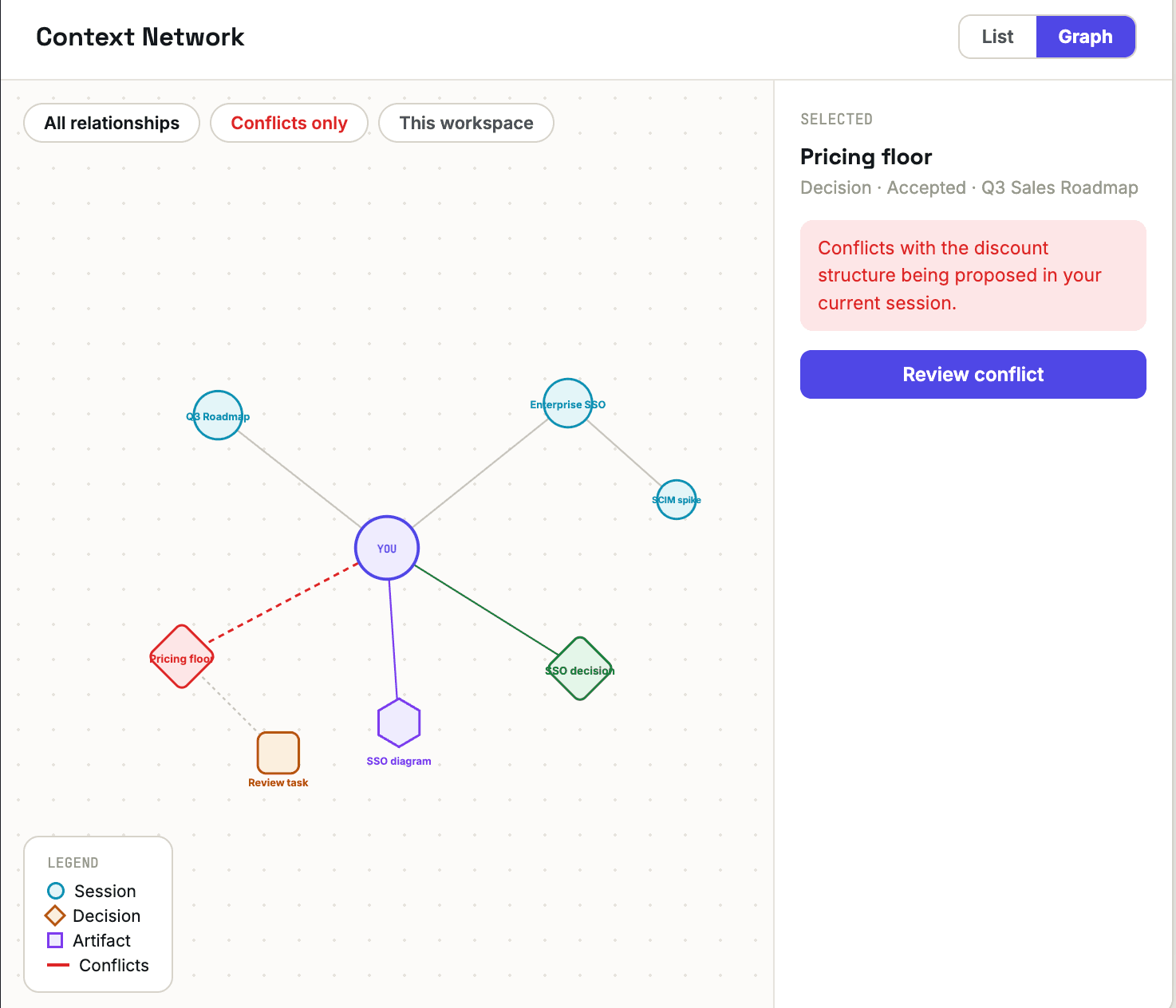
A team of any real size accumulates decisions faster than anyone can keep them in their head. Someone approves a pricing floor in one session; three months later, a completely different team proposes a discount structure that quietly contradicts it — and nobody in either room has any way of knowing, because the two conversations never crossed paths.
Radar exists to close that gap. It's not a search bar you have to remember to use — it's a live map of how your organization's sessions, decisions, and knowledge actually connect to each other, surfaced automatically as you work.
What Radar actually tracks
| Category | What it catches |
|---|---|
| Relevant now | Connections related to what you're currently working on |
| Potential conflicts | A new decision that contradicts one already made elsewhere |
| Coordination | Another active session working on something related to yours |
| Historical knowledge | A past session that already covered similar ground |
None of these require anyone to go looking. Radar is already watching the whole workspace's graph of sessions, decisions, and artifacts, and it surfaces a signal — right inside the session you're in — the moment something you're doing touches something that already exists.
Conflicts show up where you're working, not just on a dashboard
A flagged conflict doesn't wait for you to go check Radar's graph — it appears as a card in the session itself, with the accepted decision it contradicts and the specific reason why:
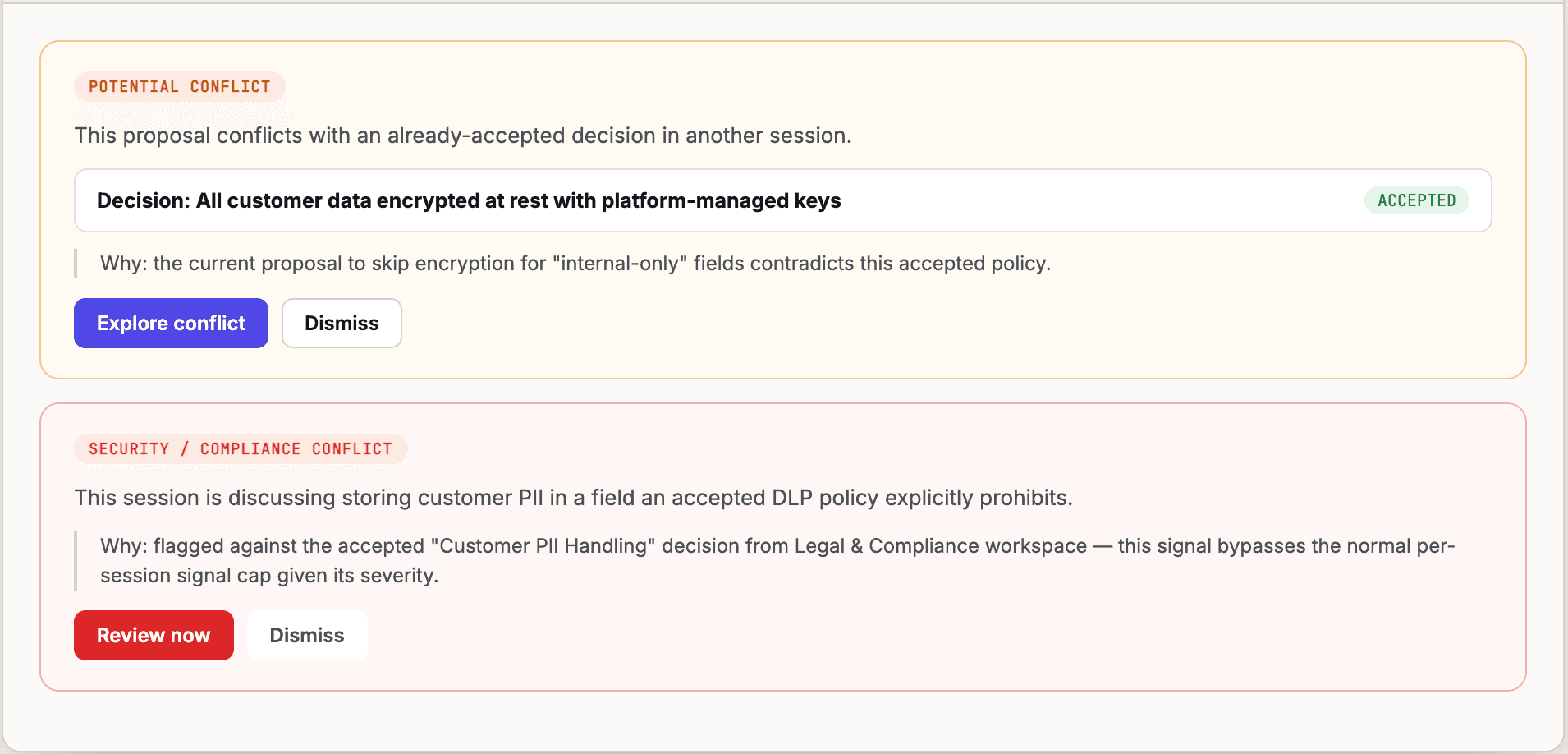
Not every conflict carries the same weight. An ordinary potential conflict gives you Explore conflict or Dismiss. Something that touches security or compliance — like a session proposing to store customer data somewhere an accepted DLP policy already prohibits — gets flagged more insistently, bypassing the normal per-session signal limit given how much it matters, with Review now in place of a routine prompt.
Surfacing relevant work you didn't know to look for
Not every signal is a conflict. Radar just as often points at something adjacent that's worth knowing about — a related decision from a different session that might affect what you're currently discussing:
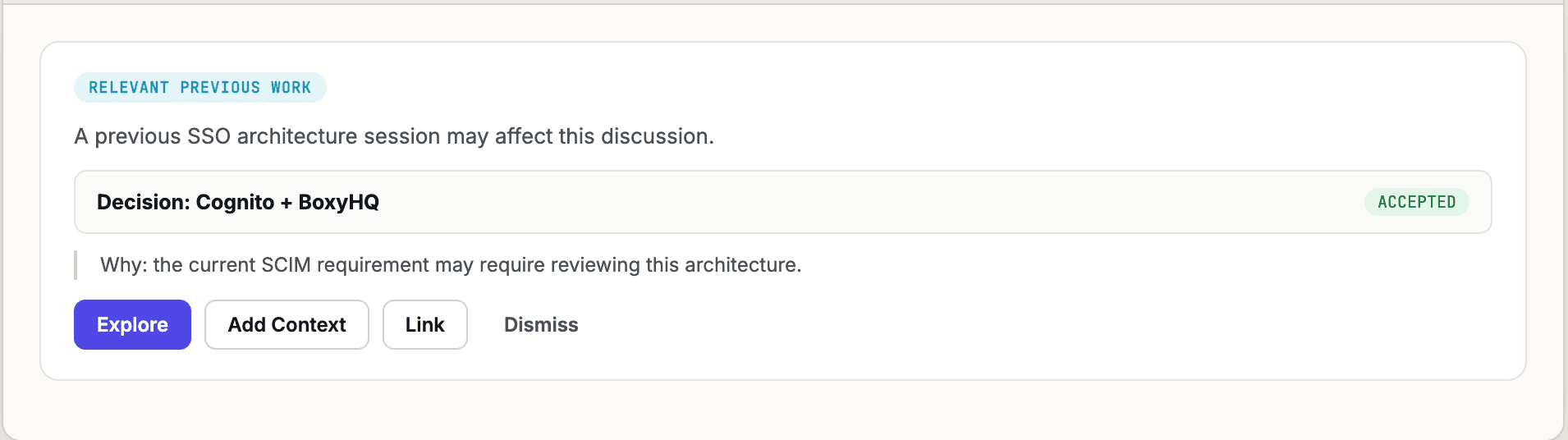
From there you can Explore the source session, Link it for reference, or Add Context — which pulls specifics from that earlier work directly into your current one.
Pulling exactly what you need, not the whole session
“Add Context” doesn't dump an entire archived session into your current one. It opens a picker over the specific pieces that actually matter — the decision itself, the reasoning behind it, the artifact it produced — while leaving the full 340-message conversation and unrelated tasks out unless you specifically want them:
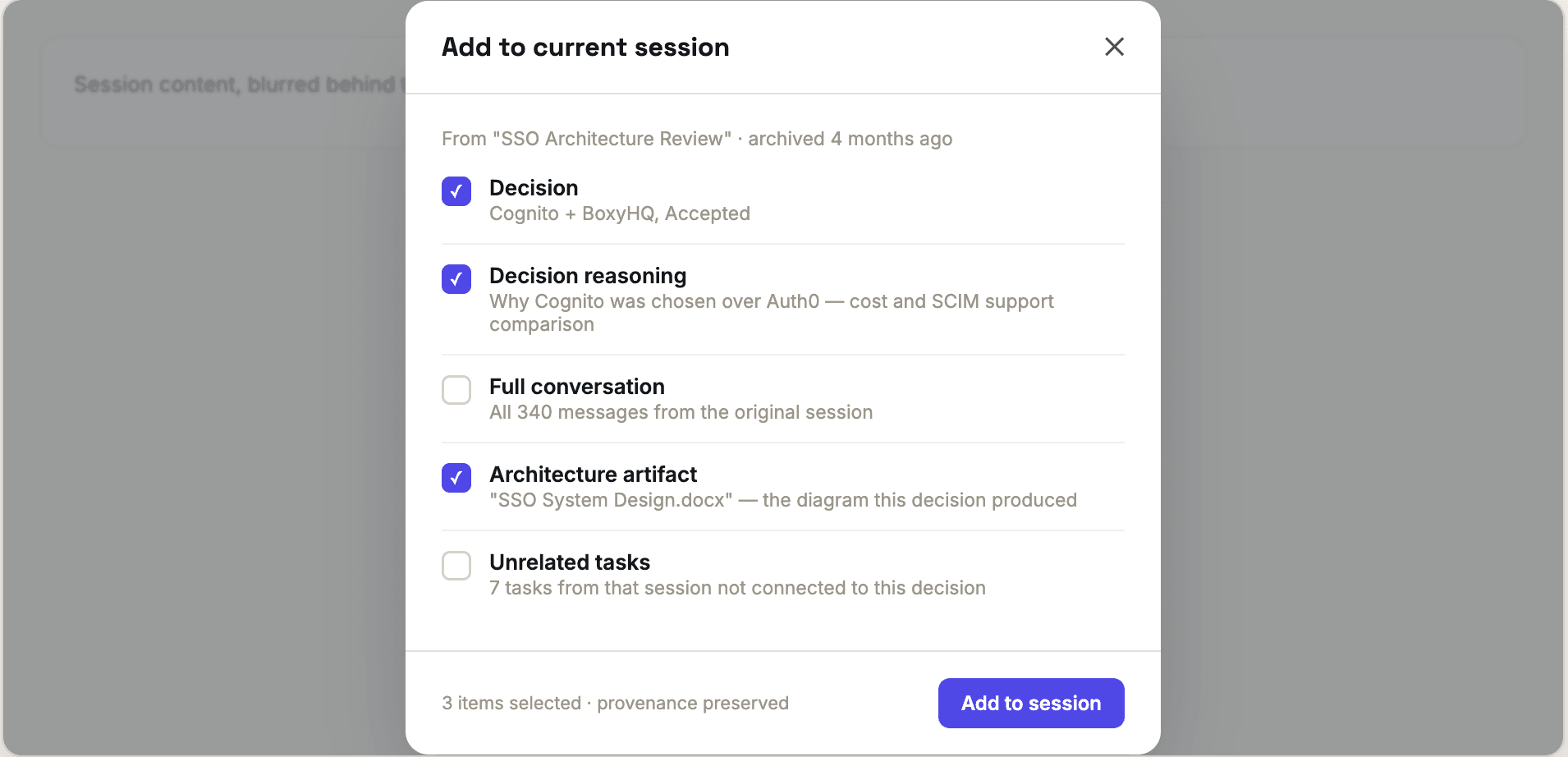
Whatever you bring in keeps its provenance — it's clearly marked as coming from that earlier session, not rewritten as if it originated in this one.
List and Graph views, for two different ways of looking
The List view is a straightforward feed — good for a quick scan of what's relevant right now. The Graph view (shown above) lays sessions, decisions, and artifacts out as connected nodes, so you can see the shape of how your work relates to everything around it, not just a flat list. Filter down to Conflicts only or This workspace when the full network is more than you need in the moment.
The short version
Most organizational knowledge doesn't disappear because nobody wrote it down — it disappears because nobody connects it to the next conversation that needed it. Radar makes that connection automatically, and lets you pull in exactly the part that matters, so the work your organization already did keeps paying off instead of quietly getting redone.