Most of what an AI agent does in a session is still, in the end, a message — a plan, a draft, an answer someone reads and acts on themselves. Orvoq Act is for the work that can't be finished by writing about it: an agent that has to actually browse a real site, or actually run code against real files, to get to the result at all.
What it can do
| Capability | What it means |
|---|---|
| Browser | Navigate pages, fill in forms, read what's actually there |
| Compute | Run code and process files in a sandboxed environment |
Both run in an isolated, ephemeral sandbox — spun up for that one execution and destroyed the moment it finishes. Nothing runs on your own machine, and nothing from one execution carries over into the next. A browser execution might mean asking an agent to “research our top 20 competitors' pricing pages” and having it actually open each one. A compute execution might mean handing it 50 spreadsheets and asking for one merged summary.
Watching it happen, not just waiting for a result
While it's running, the transcript card doesn't just say “working…” — it shows a concrete line for what it's doing right now. A browser execution reports which page it's on and how far through the list it is:

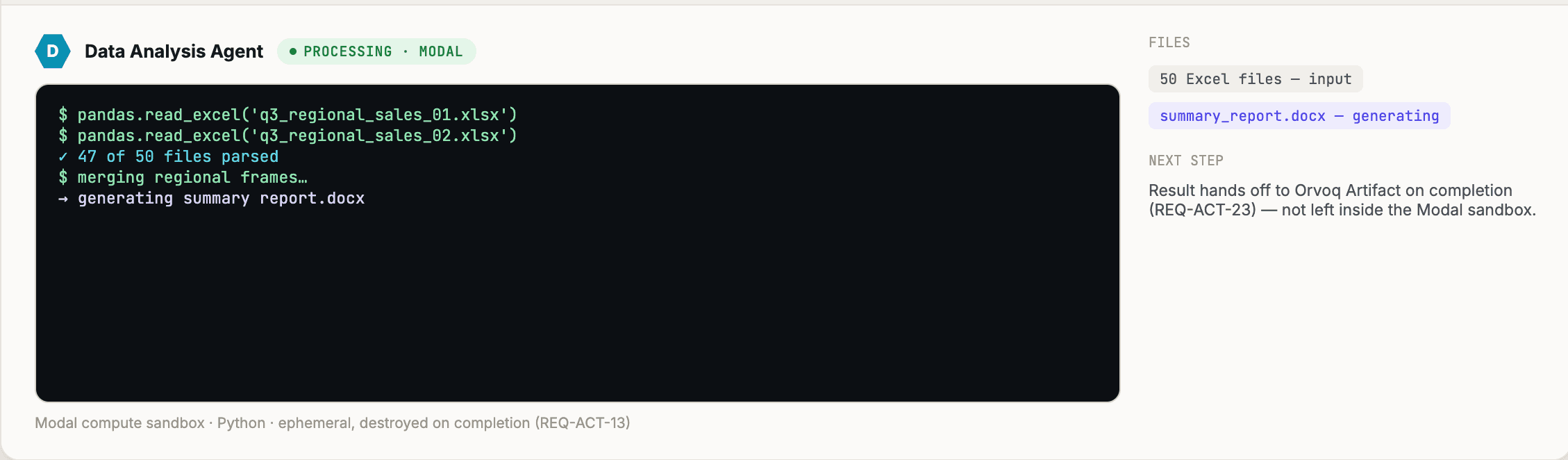
Open the card and you get the full picture — a live browser view you can watch in real time, or, for a compute execution, the sandbox's terminal log line by line alongside a running tally of the files it has read and the ones it's generating, exactly as shown in the Data Analysis Agent example above: 47 of 50 source files parsed, one output file being written.
The approval step doesn't disappear because the agent is “doing” something
Giving an agent a browser or a terminal is exactly the kind of capability that should make you more careful, not less. Orvoq Act doesn't treat “it's just automating a browser” as a reason to skip the usual guardrails — anything with a real consequence, on the page or in the sandbox, still stops and waits for someone to say go, the same as any other agent action in Orvoq. Prepare eight CRM records from this quarter's closed-won deals and ask to write them to Salesforce, and that's exactly what happens — a wait:

The card names exactly what it wants to do — the action and how many records it touches — and gives you three ways to answer, not two: Approve it as-is, Reject it outright, or Edit it first if the records are almost right but not quite.
The short version
Orvoq Act is the difference between an agent telling you what it would do and an agent actually doing it — with the same visibility and the same approval gate you'd expect from any other part of a shared session, not a separate, less supervised mode.